




Why won’t my PS5 turn on?
Most games console issues are quick to resolve. Work through these first.
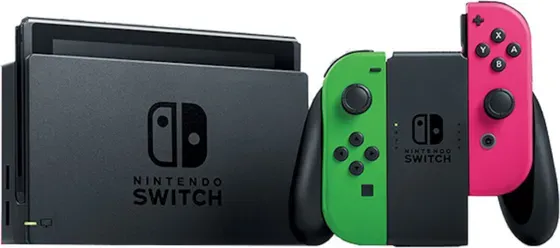
Why won’t my games console turn on?
- Check the power lead is pushed fully into both the console and the wall, and try a different socket.
- Look for a standby light - if there is one, the console has power and the problem is more likely the display.
- Force restart: Hold the console’s power button until it fully powers off, wait 30 seconds, then power back on.
Why won’t my games console connect to Wi-Fi or Bluetooth?
- Toggle the connection off and on.
- Forget the network/device and reconnect.
- Reset network settings if needed.
Why is my games console slow, freezing or crashing?
- Install the latest updates.
- Free up storage space.
- Restart; as a last resort, back up and reset.
What are the common games console issues?
Console won’t start / black screen
Power cycle first: hold the power button until it fully shuts down, wait 30 seconds, then start again. If it still won’t boot:
- PlayStationstart in Safe Mode by holding the power button and releasing after the second beep (about 7 seconds). Try Rebuild Database or Change Resolution first. Avoid the Reset and Initialise options, which erase your data.
- Xboxopen the Startup Troubleshooter: with the console off, hold Pair and Eject, then press Power, and keep holding Pair and Eject for 10 to 15 seconds until you hear the second tone. On a Series S or an All-Digital with no Eject button, hold Pair and press Power.
- Nintendo Switchhold power for ~12 seconds to force off, then press once to restart.
Won’t read a disc or game
Clean the disc and reinstall the game, and listen for the drive engaging. PS5 and Xbox Series discs are region free, so region only comes into it on older consoles and on DVDs and Blu-rays. Digital games not launching? Delete and re-download, and check the console is set as your primary or home console.
Controller won’t connect
Pair with a USB cable first, then go wireless. To reset:
- PlayStationDualSense / DualShock - press the small reset button in the hole on the back.
- Xboxhold the pair button, or re-pair via USB.
- Switchre-sync the Joy-Con / Pro Controller in System Settings → Controllers and Sensors.
Switch Joy-Con drift or won’t register
Update the controllers, recalibrate the sticks in System Settings → Controllers and Sensors → Calibrate Control Sticks, and re-pair. Persistent drift is a hardware fault - contact us if it’s under warranty.
No picture / HDMI issues
Try another HDMI cable and port, and confirm the TV’s input. Switch: reseat the dock’s HDMI and power, and make sure you’re using the official dock and adapter (the Switch needs enough power to output to the TV).
Can’t connect online
Check the network’s status page (PlayStation Network / Xbox network / Nintendo Online), run the console’s connection test, try a wired connection, and install the latest system update.
Storage full
Manage installed games, use cloud or external storage where supported, and clear cached/temporary data.
Overheating or loud fan
Give it space and airflow, keep vents clear of dust, and avoid enclosed cabinets.
Still not right? Your games console may be covered by its 12-month warranty - contact us.
Was this article helpful?
