
(Image Credit: Apple)
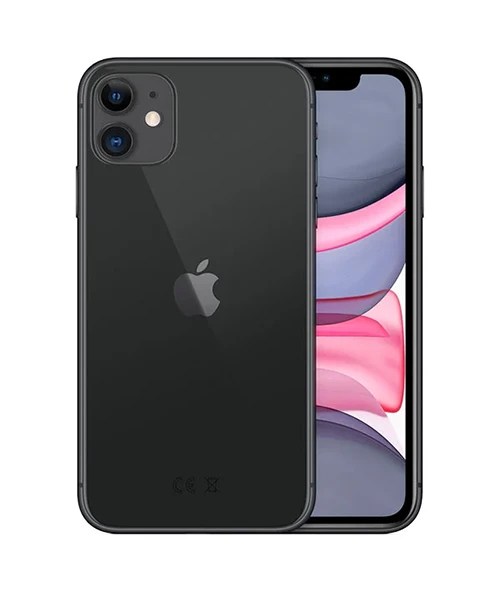
Apple has just shown off iOS 27 at its Worldwide Developers Conference, and the early headline is a good one if you are holding onto an older iPhone. The update runs on every single iPhone that already runs iOS 26, which means the iPhone 11 and the iPhone SE 2nd generation both live to see another year of software. A lot of people had those four oldest models pencilled in to be dropped this time round. They made the cut.
So what has actually changed vs iOS 26, what is genuinely worth caring about, and is it worth updating when it lands?
The short version
iOS 27 is a tune up rather than a full redesign. Where iOS 26 brought the big Liquid Glass look and the first wave of Apple Intelligence, iOS 27 spends its energy on a much smarter Siri, faster everyday performance, better security and a tidier version of the design Apple introduced last year. It will run on the iPhone 11 and newer, plus the iPhone SE 2nd and 3rd generation. The full release is expected around the middle of September 2026, alongside the next iPhones. The clever Siri and Apple Intelligence features lean on newer hardware, so older phones get the update without getting absolutely everything in it.
iOS 27 vs iOS 26 at a glance
| Area | iOS 26 | iOS 27 |
|---|---|---|
| Siri | First Apple Intelligence features, Live Translation, Visual Intelligence | Siri AI with personal context, actions across your apps, Call Context, its own app |
| Performance | Standard tuning | Up to 30% faster app launches, 70% faster photo loading, 80% faster AirDrop |
| Design | Introduced Liquid Glass | Liquid Glass refined for readability, with a transparency slider |
| Photos | Visual Intelligence screenshot analysis | AI image expansion, object removal, Reframe and a revamped Image Playground |
| Phone | Call Screening, Hold Assist, voicemail summaries | Call Context surfaces relevant emails and messages during a call |
| Security | Password management improvements | Siri can find and replace compromised passwords for you |
| Parental controls | Ask to Buy and Communication Safety | Ask to Browse, separate limits by category, expanded safety |
| Main focus | New features and a fresh look | Speed, security, reliability and AI |
What’s actually new in iOS 27
A much smarter Siri
The big one is Siri, now called Siri AI. It pulls from two places at once, the personal context already on your iPhone and broader knowledge from the web, then tries to give you a complete answer rather than a shrug and a list of search results. It can take actions across your apps too, not just inside one.
A couple of examples Apple showed off make it clearer. Swap a few emails with a mate about meeting up and Siri can work out roughly what is going on, then offer to drop the right time and date into your Calendar without you asking. Forget the name of a show someone recommended in Messages last week? You can ask Siri to go and find it for you. There is also Call Context, which quietly pulls up the emails or details you might need while you are on a call with someone.
You get to Siri AI in a few ways, the usual voice command, a swipe down from the Dynamic Island, or a longer press of the side button. There is a dedicated Siri app this time as well, which keeps a history of your past conversations and syncs across your Apple devices. Worth saying plainly though, Apple has overpromised on AI before, so it is fair to wait and see how much of this holds up once it is on real phones.
Photos and AI editing
Photos picks up some properly useful editing tricks. You can expand an image past its original edges by up to a quarter, with the new space filled in to match the rest of the shot, which is handy when someone has cropped a bit too tight. There are stronger tools for cleaning up larger objects you do not want in frame, and a feature called Reframe that lets you shift the perspective of a photo, with the gaps filled in for you. Image Playground has had a going over too, so you can generate images from a prompt or restyle the ones you already have.
A faster iPhone
This is the part that will matter most day to day. Apple says apps launch up to 30% quicker, your photo library loads up to 70% faster, and AirDrop transfers can be up to 80% speedier. Unlike iOS 26, which was stuffed with new features, iOS 27 puts real weight behind speed and stability. For anyone on an older device, that focus on tidying up performance is more welcome than another pile of features.
Stronger security
One genuinely practical addition. If you keep your logins in the Apple Passwords app, Siri can hunt down any passwords that have been caught up in a leak, sign into the service for you, generate a stronger replacement and save it. Most of us know we should be doing this and never get round to it, so handing the job to the phone is a sensible idea.
Better controls for families
Parental controls get a lot more precise. You can set separate time limits for Entertainment, Games and Social Media rather than one blanket rule, and there is a new Ask to Browse option that stops a child opening an unfamiliar website until you give the nod. Communication Safety now keeps an eye on images coming in and going out, blocking sexual or violent content. Apple has worked with the American Academy of Pediatrics on guidance about healthy usage, and the controls adapt as the child gets older.
Design tweaks and the little extras
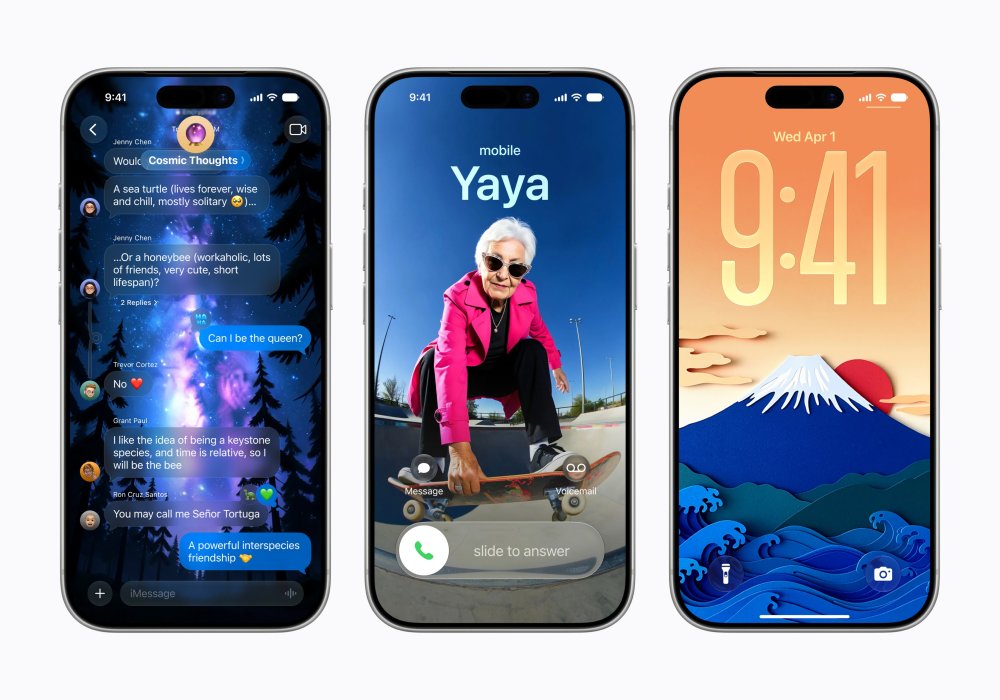
Liquid Glass split opinion when it arrived in iOS 26, so Apple has softened it. You get frosted menu bars in places that hold controls, some colour and clarity adjustments to help readability, and a slider in Settings to dial the transparency effect up or down to taste. There are smaller touches worth a mention too, like a separate volume level for alarms, so turning your notification sounds right down no longer means sleeping through your morning alarm.
Which iPhones get iOS 27?
iOS 27 runs on the iPhone 11 and everything newer, plus the iPhone SE 2nd and 3rd generation. If your iPhone is running iOS 26 right now, it will handle iOS 27.
The models that miss out are the iPhone XR, XS and XS Max. Those were already left behind by iOS 26 last year, so nothing changes for them this time. They keep working and stay on iOS 18 with security updates.
The takeaway for anyone shopping refurbished is a reassuring one. A refurbished iPhone 11 or iPhone 12 is still a sensible buy that holds up well, because it gets Apple’s newest software in 2026 rather than being stuck a version behind.
Running iOS 27 and getting all of iOS 27 are two different things
Being able to install iOS 27 is not the same as getting every feature in it. The cleverest Apple Intelligence and Siri AI features lean on newer chips and more memory, so the most advanced on the device AI is kept to the iPhone Air and iPhone 17 Pro, and the wider Apple Intelligence set wants an iPhone 15 Pro or newer.
An older supported iPhone gets the speed improvements, the design changes, the security additions and the everyday polish. The headline Siri AI tricks are more of a newer phone thing. If those AI features are the whole reason you are interested, that is worth knowing before you decide. If you mainly want a faster, safer, tidier iPhone, the update does plenty even on a phone that is a few years old. One more catch worth flagging, because of an ongoing disagreement with the EU, Siri AI will not be available in EU countries at launch.
When can you get iOS 27?
Apple follows a fairly predictable run each year. The developer beta is already out, the public beta lands in July, and the full release usually arrives in the second week of September alongside the new iPhones.
| Stage | When | Who it’s for |
|---|---|---|
| Developer beta | Out now | Developers and keen testers, Siri AI is behind a waitlist |
| Public beta | July 2026 | Anyone with an Apple ID, free at beta.apple.com |
| Release Candidate | Early September 2026 | The near final build, last round of testing |
| Full release | Around 14 September 2026 (predicted) | Everyone, as a free update |
A quick word of caution on the betas. Early software is buggy by nature, so it is not a great idea to put it on the iPhone you rely on every day, things like banking apps will often not work. If you want an early look without the risk, a cheap second iPhone is the safer way to test it, which is where a refurbished model earns its keep. The full September release is the one most people should wait for.
So, should you upgrade?
For most people the answer is yes, once the proper release arrives. Faster apps, quicker photo loading, the password clean up tool and the design fixes are all reasons to update, and an new iOS will cost you nothing.
If you are running a newer iPhone, an iPhone 15 Pro or later, you also get the new Siri AI features, so there is more in it for you. If you are on something like an iPhone 11, iPhone 12 or iPhone 13, you still get the meaningful everyday improvements, just without the full AI set. Either way, the sensible move is to wait for the September release rather than living with beta bugs through the summer.
If your current iPhone is starting to show its age and you fancy more of the new features, this is a good moment to look at a newer refurbished model. Every iPhone we sell goes through a 70 plus point check and a clear grading system, from A+ Pristine down to C Average, with at least 80% battery health, a 12 month warranty and 30 day returns. You can browse the full range of refurbished iPhones whenever you are ready, or have a look at the current iPhone hot deals for the best refurbished prices going.
Frequently asked questions
Will iOS 27 slow down my older iPhone?
It should not. iOS 27 puts a lot of focus on performance, with Apple claiming faster app launches and quicker photo loading. The heavier AI features are reserved for newer hardware, so an older supported iPhone is not being asked to run things it cannot handle.
Is iOS 27 free?
Yes. Like every iOS update, iOS 27 is a free download for any iPhone that supports it.
Can I get iOS 27 on an iPhone 11?
Yes. The iPhone 11, iPhone 11 Pro and iPhone 11 Pro Max all support iOS 27, as does the iPhone SE 2nd generation. You will get the update and the everyday improvements, though not the full Apple Intelligence and Siri AI features.
Do I need a new iPhone for the new Siri?
For the most advanced Siri AI features, yes, you will want an iPhone 15 Pro or newer, with the very latest on the device AI kept to the iPhone Air and iPhone 17 Pro. Older supported iPhones still run iOS 27, they just miss some of the AI extras.
When is iOS 27 coming out?
The developer beta is out now, the public beta is expected in July 2026, and the full release is predicted for around the middle of September 2026, alongside Apple’s next iPhones. Apple has not confirmed the exact date yet.
Should I install the beta?
Only on a spare device. Beta software has bugs and is best kept off the phone you depend on day to day. If you can wait, the stable September release is the better bet for most people.
Ready to find an iPhone that is set for iOS 27? Browse all refurbished iPhones or compare two popular picks in our iPhone 15 vs iPhone 16 guide.