
On this page
- What should “refurbished” actually mean?
- What do refurbished grades tell you?
- What should you check before buying a refurbished iPhone?
- What are the red flags when buying from a marketplace or private seller?
- What The iOutlet does on every device
- Checklist: how to buy a refurbished iPhone safely
- Frequently asked questions
The safest way to buy a refurbished iPhone is to check six things before you pay: the warranty, the returns window, the battery health, Activation Lock, the network lock and the IMEI. The phones that cause trouble are usually still tied to someone else’s account, have a tired battery nobody mentioned, or come from a seller with no returns policy. We test and sell refurbished iPhones ourselves, and these are the checks we’d make if we were buying one.
What should “refurbished” actually mean?
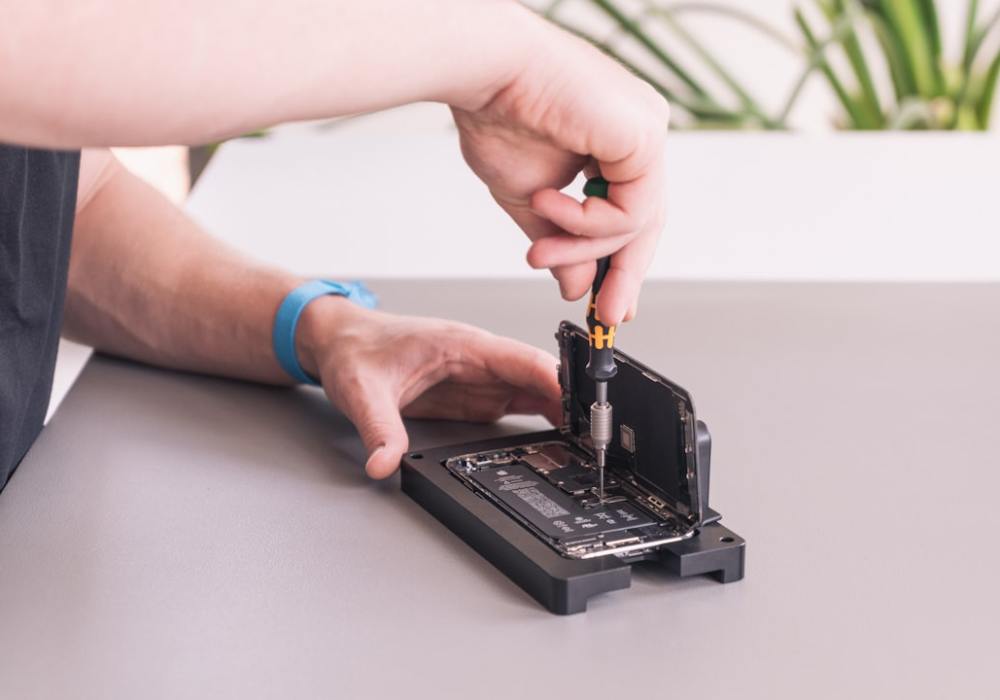
A refurbished iPhone should have been tested, repaired where needed, wiped of the previous owner’s data and restored to full working order before it’s sold again. It should also come with a warranty. So ask what was actually done to the phone, and what the seller will put in writing.
Apple’s own advice on buying a pre-owned iPhone is to ask whether the seller certifies its pre-owned devices and what the inspection covers. Any decent refurbisher should be able to tell you.
If you want a benchmark, Apple says its own Certified Refurbished devices use genuine Apple replacement parts where needed and come with its standard one-year limited warranty. It’s a fair standard to hold any seller to.
What do refurbished grades tell you?
A grade describes how an iPhone looks, not how well it works. From a proper refurbisher, every grade should be fully tested and working, so a lower grade is simply a way to pay less for a phone with more cosmetic wear. Always check what a seller’s grades mean before you buy.
Here’s how we grade every device at The iOutlet. Our guide to our refurbished tech grades goes into more detail.
| Grade | What it looks like |
|---|---|
| A+ Pristine | Looks and feels brand new, with no visible signs of wear |
| A Excellent | Minimal signs of wear, such as light scratches or scuffs |
| B Good | Moderate signs of wear across the device, fully tested and in good working order |
| C Average | Heavy wear, including noticeable scratches or scuffs, fully tested and fully functional |
If you always use a case and a screen protector, a lower grade can be a smart way to save, because most of the marks end up hidden. If it’s a gift, or you like a bare phone, it’s worth stepping up a grade or two.
What should you check before buying a refurbished iPhone?
Before you pay, check six things: how long the warranty lasts, how long you’ve got to return it, what battery health the seller guarantees, that Activation Lock is off, that the phone isn’t locked to one network, and that the IMEI hasn’t been reported lost or stolen. A seller worth buying from will answer every one without fuss.
Warranty length
Look for a warranty that’s clearly written down, says how long it lasts and explains what happens if something goes wrong. Apple puts a one-year warranty on its own refurbished devices, and we think twelve months is a sensible minimum to expect from anyone. If a listing offers no warranty, or only a few weeks, you’re carrying the risk if anything goes wrong.
Returns window
You should be able to send the phone back if it isn’t right. When you buy online from a business, gov.uk says you can cancel within 14 days of receiving the item and then have another 14 days to return it. If goods are faulty, the Consumer Rights Act 2015 gives you a short-term right to reject them within 30 days. A good seller’s own returns policy should be easy to find and clear about how returns work.
Battery health standard
The battery is the part of a used iPhone that wears out quickest, so it’s the figure that matters most. iPhones show this as Maximum Capacity, which Apple describes as the battery’s capacity compared with when it was new. Apple says iPhone 14 and earlier batteries are designed to keep 80% of their original capacity at 500 complete charge cycles under ideal conditions, and iPhone 15 batteries at 1,000 cycles.
Look for a seller that guarantees a minimum battery health in writing, rather than leaving it out of the listing. Once the phone arrives, you can check the figure yourself in Settings, and our guide to checking the battery health of your iPhone walks you through it.
Activation Lock
Activation Lock is part of Find My, and Apple says it’s designed to stop anyone else using an iPhone if it’s lost or stolen. If it’s still switched on, the phone stays tied to the previous owner’s Apple Account and you can’t set it up as yours. Apple says not to take ownership of a used iPhone that’s protected by Activation Lock.
When you turn the phone on, you should see the Hello screen, which Apple says means it’s been erased and is ready to set up. If you see “iPhone Locked to Owner”, or setup asks for someone else’s Apple Account, don’t buy it. If it arrives like that from an online seller, send it back. If you’re ever passing your own iPhone on, our help article on unlocking and device locks shows how to remove your account first.
Network lock
A network-locked iPhone only works with one provider’s SIM. Since 17 December 2021, Ofcom has banned mobile companies from selling locked handsets. It’s still worth checking, especially on an older phone. To check, go to Settings, General, About and look at Network Provider Lock. Apple says that if it shows “No SIM restrictions”, the iPhone is unlocked.
IMEI status
Every iPhone has a unique IMEI number that identifies the handset. Ask the seller for it before you pay and run it through a lost and stolen check. Apple explains where to find the IMEI, including in Settings under General and About, and on the Hello screen before setup. If a seller won’t share it, don’t buy.
Repair history
While you’re in Settings, check the repair history too. On iOS 15.2 or later, iPhones that have been repaired show a Parts and Service History section under General and About. Apple says a part marked “Unknown” may not be genuine or may not be working as expected, so ask the seller about it.
What are the red flags when buying from a marketplace or private seller?
Buying from a marketplace listing or a private seller means doing every check yourself. Walk away if a seller won’t give you the IMEI, won’t let you see the phone erased and working, can’t tell you the battery health, or offers no returns at all. A price far below everyone else’s is a warning sign too.
Watch out for any of these:
- The phone shows “iPhone Locked to Owner”, or setup asks for someone else’s Apple Account.
- The seller won’t erase the phone in front of you or let you test it.
- The listing says nothing about battery health, or the phone won’t charge. Apple’s advice is not to buy an iPhone if the battery won’t charge.
- Parts and Service History shows parts marked “Unknown”.
- The seller won’t share the IMEI or gets vague when you ask.
- There’s no warranty and no way to return it.
- You’re being rushed, or asked to pay in a way that gives you no protection if it goes wrong.
It’s also worth knowing that the Consumer Rights Act 2015 covers agreements between a trader and a consumer. Buy from a private individual and you don’t get those same rights, which makes every check above matter even more.
What The iOutlet does on every device
Every refurbished iPhone we sell is fully tested and inspected, checked against lost and stolen databases, unlocked and contract free, and graded from A+ Pristine to C Average. It comes with a battery health of at least 80%, or you can upgrade to a brand new battery, plus a free 12-month warranty and fast, free delivery.
That means the lost and stolen check and the network lock are taken care of before a phone is listed, and the battery figure is guaranteed rather than left for you to find out. You can still run through every check in this guide when your phone arrives, and it’s worth doing.
Every phone we refurbish stays in use rather than going to landfill. You can read more about how we work on our Why Us page, or browse our refurbished iPhones when you’re ready.
Checklist: how to buy a refurbished iPhone safely
Run through this list with any seller, us included, before you pay. Tick off every point and you’ll have covered the checks that matter most on a refurbished iPhone. It works just as well for a marketplace listing as for a specialist refurbisher. If a seller can’t answer one of them, look elsewhere.
- The seller explains what their testing covers.
- You know the cosmetic grade and what it means.
- There’s a written warranty, ideally twelve months.
- There’s a clear returns window.
- A minimum battery health is guaranteed.
- The phone shows the Hello screen, not “iPhone Locked to Owner”.
- Network Provider Lock shows “No SIM restrictions”.
- You’ve got the IMEI and it hasn’t been reported lost or stolen.
- Parts and Service History doesn’t show any “Unknown” parts.
Frequently asked questions
Are refurbished iPhones okay to buy?
Yes, as long as you buy from a seller that tests them properly, guarantees the battery health and backs them with a warranty and a clear returns policy. The risk comes from phones sold without those checks, not from refurbished iPhones themselves.
Are refurbished iPhones trustworthy?
That depends on who’s selling it. Look for a clear explanation of the testing, an honest grading system, a written warranty and real reviews. Apple’s advice is to ask the seller whether they certify pre-owned devices and what their inspection covers.
What are the disadvantages of a refurbished iPhone?
The battery won’t be brand new unless the seller has replaced it, and lower grades show cosmetic wear. What you get also depends on who you buy from. Choosing one that guarantees a minimum battery health and grades clearly takes care of most of this.
What are the risks of buying refurbished?
The main risks are a phone still locked to someone else’s Apple Account, a worn battery, a network-locked handset, or one reported lost or stolen. Checking Activation Lock, battery health, Network Provider Lock and the IMEI before you pay, and buying with a warranty, covers them.