




Will my refurbished Apple Watch be locked to a previous owner?
“Locked” can mean a few different things. Here’s how to tell which one you’re dealing with on your Apple Watch, and how to fix it.
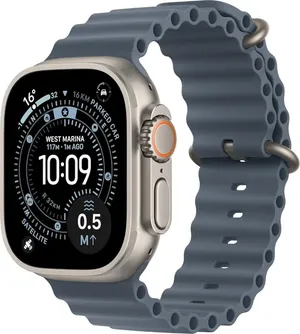
Does my Apple Watch have a carrier lock?
There is no carrier lock on an Apple Watch, and no SIM to swap. A GPS + Cellular watch uses an eSIM on the same network plan as the iPhone it is paired with, added during pairing, so it follows your phone contract rather than having one of its own. A GPS watch has no mobile data at all.
What is Activation Lock?
This ties a device to its previous owner’s account so no one else can use it. It must be removed before a device can be set up, returned, sold or repaired.
Apple Activation Lock (Find My)
Apple devices are protected by Activation Lock, tied to the previous owner’s Apple Account. A watch we sell arrives ready to pair - and your own lock comes off when you unpair, which the Watch app handles for you:
- On your iPhone: open the Watch app, go to My Watch → All Watches, tap the info button next to your watch, then Unpair Apple Watch. That backs the watch up and clears Activation Lock.
- Remotely (if you no longer have the watch): go to icloud.com → Find Devices → select the watch → Remove.
Tip: Forgotten your Apple Account password? Reset it at iforgot.apple.com.
What if I am locked out by a passcode?
If you’re locked out by a forgotten passcode, you’ll need to erase the device and set it up again - back up first if you can. See Setup to get going again.
A device that’s still signed in to an account can’t be processed for a return, sale or repair until the lock is removed.
Still need a hand? Contact our support team.
Was this article helpful?
